
Tag: CRM for Small Business

  • Sales Pipeline Management: Close More Deals in 2026

    Sales Pipeline Management: Close More Deals in 2026

    Small businesses that actively manage their sales pipeline close up to 28% more deals — here’s exactly how to build and run yours.

    Why Most Small Business Sales Pipelines Fail Before They Start

    According to a 2024 HubSpot Sales Report, nearly 40% of small business owners say they have no formal sales process in place. They rely on gut instinct, sticky notes, and memory to track potential customers — and then wonder why revenue feels unpredictable month after month.

    If you’ve ever lost track of a hot prospect, forgotten to follow up, or watched a deal go cold without knowing why, your pipeline is the problem — not your product.

    In this guide, you’ll learn exactly what a sales pipeline is, why it matters for your bottom line, and how to build one from scratch — even if you’re running your business solo or with a small team. We’ll cover the stages, the numbers you need to track, the tools that actually help, and the mistakes that silently kill deals before they close.

    By the end, you’ll have a clear, actionable framework to turn your sales process from reactive chaos into a predictable revenue engine.

    What Is a Sales Pipeline and How Does It Work?

    A sales pipeline is a visual representation of where every potential customer (called a prospect or lead) stands in your buying process — from first contact all the way to a closed deal.

    Think of it like a funnel with defined stages. At the top, you have a large pool of leads. As you qualify, nurture, and engage them, fewer move forward — but those who do are increasingly likely to buy.

    Each stage represents a specific action or milestone. A typical pipeline for a small business might look like this:

    1. Lead generation — Someone shows initial interest (fills out a form, calls in, attends a webinar)
    2. Qualification — You confirm they have the budget, need, and authority to buy
    3. Discovery / Needs assessment — You learn about their specific problem
    4. Proposal / Quote sent — You present your offer and pricing
    5. Negotiation — Objections are handled, terms are discussed
    6. Closed — Won or Lost — Deal is finalized or prospect exits

    The key difference between a pipeline and a general to-do list: every deal in a pipeline has a dollar value, a probability of closing, and an expected close date attached to it. That’s what makes it a financial forecasting tool, not just a checklist.

    According to Salesforce’s 2024 State of Sales report, businesses with clearly defined pipeline stages are 33% more likely to hit their revenue targets. For small businesses operating on thin margins, that difference is not academic — it’s make-or-break.

    Key Benefits of a Managed Sales Pipeline

    Beyond organization, a well-managed pipeline delivers measurable financial advantages that compound over time.

    Predictable revenue forecasting. When you know how many deals are in each stage and their average close rates, you can estimate next month’s revenue with reasonable accuracy. This helps you make smarter hiring, inventory, and cash flow decisions. For more on managing cash flow effectively alongside your pipeline, see our guide on CRM for Small Business Sales: How to Close More Deals.

    Shorter sales cycles. Research from CSO Insights shows that companies with a defined pipeline process reduce their average sales cycle by up to 18%. When you know exactly what needs to happen at each stage, deals don’t stall in limbo.

    Higher close rates. A 2023 Pipedrive report found that sales reps who consistently update their pipeline data close 28% more deals than those who don’t. Visibility creates accountability.

    Smarter resource allocation. You stop wasting time on leads that will never buy and double down on prospects that are genuinely close to a decision. For a solo owner-operator, this is the difference between a 60-hour week and a 45-hour one.

    Better coaching and performance tracking. If you have a sales team, the pipeline shows you exactly where each rep is struggling — whether it’s generating leads, converting proposals, or handling objections — so you can coach them specifically rather than generically.

    How to Build Your Sales Pipeline Step by Step

    Building a pipeline doesn’t require expensive software on day one. You need a clear process first — the tools come after. Here’s how to get started:

    Step 1: Define Your Pipeline Stages

    Map your actual sales process — not an idealized version. Interview your best customers and ask what steps they went through before buying. Document every consistent touchpoint. Typically, 5 to 7 stages work best for small businesses. Too many stages create administrative burden; too few, and you lose visibility.

    Step 2: Set Entry and Exit Criteria for Each Stage

    A deal moves from "Qualified Lead" to "Proposal Sent" only when a specific action has occurred — not when you hope it has. Define these triggers clearly. For example: a deal enters the Proposal stage only after a discovery call has been completed and a budget range has been confirmed.

    Step 3: Calculate Your Baseline Metrics

    You need four core numbers to run a pipeline effectively:

    • Number of deals — How many active opportunities do you have right now?
    • Average deal size — What is the typical contract or sale value?
    • Win rate — What percentage of qualified leads do you close? Industry average varies, but 20-30% is common in B2B services.
    • Average sales cycle length — How many days from first contact to close?

    With these four numbers, you can calculate how many new leads you need to generate each month to hit a revenue goal. For example: if your average deal is $5,000, your win rate is 25%, and you want $50,000 in new revenue this month, you need 40 new qualified leads entering your pipeline.

    Step 4: Choose Your Pipeline Tool

    Start simple. A spreadsheet works for a solo operator with fewer than 20 active deals. Google Sheets or Excel with columns for each pipeline stage, deal owner, value, and expected close date is enough to get started.

    As you grow, a CRM (Customer Relationship Management) tool becomes essential. Top options for small businesses include:

    • HubSpot CRM — Free tier available, excellent for early-stage businesses
    • Pipedrive — Pipeline-first design, starting around $14/user/month
    • Zoho CRM — Cost-effective, strong automation features starting at $20/user/month

    Our full breakdown is available in the CRM for Small Business Sales guide — it’ll help you pick the right tool for your revenue stage.

    Step 5: Schedule Weekly Pipeline Reviews

    Block 30-60 minutes every week to review every deal in your pipeline. Ask three questions for each: What happened since last week? What needs to happen next? Is the expected close date still realistic? Deals that haven’t moved in 30 days either need a decisive follow-up or should be archived as "stalled."

    Step 6: Build a Follow-Up Cadence

    According to the National Sales Executive Association, 80% of sales require at least five follow-up contacts after the initial meeting — yet 44% of salespeople give up after just one follow-up. Build a structured outreach cadence: email on day 1, call on day 3, LinkedIn message on day 7, final email on day 14. Automate what you can using your CRM’s sequence feature.

    Costs, Fees, and Risks of Pipeline Management Tools

    Pipeline management software ranges from free to several hundred dollars per user per month. Here’s what to expect at each level:

    Free tools (HubSpot Free, Zoho Free): Limited deals, contacts, and automations. Fine for solo operators doing under $500K/year in revenue. Risk: you’ll outgrow these quickly.

    Mid-tier CRMs ($15-$50/user/month): Pipedrive, Freshsales, Monday CRM. Includes automation, reporting, and integrations. For a 3-person sales team, you’re looking at $540-$1,800/year. This is a business deduction — the IRS allows you to deduct software subscriptions as ordinary business expenses under Section 162.

    Enterprise tools ($75-$300+/user/month): Salesforce, Microsoft Dynamics. Overkill for most small businesses. Don’t let a vendor upsell you before you’ve outgrown the mid-tier options.

    Hidden risks to watch:

    • Data migration pain: Moving pipeline data between tools is time-consuming. Choose a platform you can grow into.
    • Adoption failure: A CRM no one uses is worse than a spreadsheet everyone does. Budget for training time.
    • Over-automation: Automating outreach before you’ve tested messaging manually can kill deals at scale.

    Common Sales Pipeline Mistakes to Avoid

    Even smart business owners make these errors — and they’re expensive when you calculate the deals lost.

    Mistake 1: Stuffing the pipeline with unqualified leads. A bloated pipeline feels good but lies to you. If you’re tracking 200 "prospects" and only 20 have confirmed budget and need, your pipeline is 90% noise. This distorts your forecasts and wastes follow-up time. Apply strict qualification criteria before a lead enters the pipeline. Use a framework like BANT (Budget, Authority, Need, Timeline) to filter aggressively at the top.

    Mistake 2: Not tracking deal velocity. Most owners track how many deals they have — but not how fast they’re moving. A deal stuck in "Proposal Sent" for 60 days isn’t really in play anymore. Set a maximum time limit for each stage. If a deal exceeds it, flag it, follow up decisively, or move it out. Stale deals inflate your pipeline value and create false confidence in forecasts.

    Mistake 3: Ignoring lost deal data. Every closed-lost deal is a data point. Why did they say no? Price? Competitor? Timing? Poor fit? Track loss reasons systematically. According to Gartner, companies that analyze lost deal data improve their win rates by an average of 15% within 12 months. A simple dropdown field in your CRM for "Reason Lost" is all you need to start.

    Mistake 4: Failing to align pipeline stages with the buyer’s journey. Your stages should reflect what the buyer is doing, not just what you want to track internally. If a stage says "Demo Scheduled" but your buyer hasn’t agreed they have a problem yet, you’re misaligned. Reframe stages around buyer decisions: "Problem Acknowledged," "Solution Evaluated," "Vendor Selected."

    Mistake 5: Not tying the pipeline to compensation. If your sales team isn’t rewarded for keeping pipeline data accurate, they won’t. Structure your sales compensation plan to include a pipeline hygiene component — even a small one — so reps have skin in the game.

    Alternatives to a Traditional Sales Pipeline

    A linear pipeline isn’t the right model for every business. Here are two alternatives worth considering depending on your sales model:

    Sales Flywheel Model
    Instead of a linear funnel, the flywheel model treats sales, marketing, and customer success as a continuous loop. Satisfied customers generate referrals that feed new leads back in. This works especially well for service businesses with high repeat purchase rates. The tradeoff: it’s harder to assign dollar values to each stage, which makes revenue forecasting less precise.

    Account-Based Selling (ABS)
    Rather than managing individual deals, ABS focuses on a curated list of high-value target accounts. All energy goes into penetrating those specific companies rather than chasing volume. This is ideal for B2B businesses with average deal sizes above $25,000 and long sales cycles (90+ days). The downside: it requires significant upfront research and a tight alignment between sales and marketing.

    Subscription / Product-Led Growth (PLG)
    For SaaS or subscription businesses, the pipeline is replaced partly by a self-service model — customers try the product for free, upgrade when they see value. Sales steps in only for enterprise deals. If your business model has a free trial or freemium component, a traditional pipeline may only apply to a segment of your revenue.

    Frequently Asked Questions

    How many deals should I have in my pipeline at any given time?
    Generally speaking, you want 3-5x your monthly revenue goal sitting in qualified pipeline value. If you need $50,000 in closed deals this month and your average win rate is 25%, you need at least $200,000 in active pipeline. Any less and you’re likely to miss your target even if everything goes well.

    What’s the difference between a sales pipeline and a sales forecast?
    Your pipeline is the full picture of all active opportunities. Your forecast is a subset — the deals you expect to close within a specific timeframe, usually the current quarter or month, weighted by probability. A pipeline is an inventory; a forecast is a prediction derived from it.

    How often should I review my pipeline?
    At minimum, once a week as a business owner. If you have a sales team, a brief daily standup (10-15 minutes) focusing on deals expected to close within 14 days keeps everyone aligned. Monthly, do a deeper review of pipeline health — win rates, average deal size trends, and stage conversion rates.

    Can I build a sales pipeline without a CRM?
    Yes — a well-structured spreadsheet works for businesses with fewer than 20 active deals at a time. Google Sheets is free and collaborative. However, once you’re managing more than that, or if you have multiple salespeople, a dedicated CRM pays for itself quickly in time saved and deals that don’t fall through the cracks.

    How do I calculate my pipeline conversion rate?
    Divide the number of deals won by the total number of deals that entered your pipeline in the same period. For example: if 100 leads entered your pipeline in Q1 and you closed 22, your pipeline conversion rate is 22%. Track this monthly and compare quarter-over-quarter to measure improvement.

    Build Your Pipeline Now — Revenue Follows Process

    A sales pipeline isn’t a luxury for big companies with large sales teams. It’s the backbone of any business that wants predictable, scalable revenue — and it’s accessible to any small business owner willing to put in the upfront work to build it right.

    Start this week: map your current sales stages on paper, pick the four metrics you’ll track, and set a recurring calendar block for your weekly pipeline review. That’s your minimum viable pipeline. From there, layer in a CRM, refine your qualification criteria, and start analyzing your lost deal data.

    The businesses that outperform their competitors rarely have better products — they have better processes. Your pipeline is that process made visible and manageable.

    If you’re also refining how you attract leads in the first place, pair this with our Social Media Marketing for Small Business guide to fill the top of your pipeline consistently.

    This article is for educational purposes only and does not constitute financial, tax, or investment advice. Always consult a licensed financial advisor, CPA, or attorney before making financial decisions.

  • CRM for Small Business Sales: How to Close More Deals

    CRM for Small Business Sales: How to Close More Deals

    What Is a CRM and Why Does It Matter for Small Business Sales?

    If you’ve ever lost a hot lead because you forgot to follow up, or discovered a prospect fell through the cracks after weeks of silence, you already understand the problem a CRM is designed to solve.

    A CRM — or Customer Relationship Management system — is software that centralizes every interaction you have with prospects and customers. Phone calls, emails, proposals, meeting notes, deal stages — all in one place, visible to everyone on your team.

    According to Salesforce’s 2025 State of Sales report, sales reps spend only 28% of their week actually selling. The rest goes to administrative tasks, data entry, and chasing down information scattered across spreadsheets, inboxes, and sticky notes. A CRM reclaims that lost time.

    For small businesses specifically, a CRM levels the playing field. You don’t need a 50-person sales team to track deals professionally. Even a solo operator or a team of three can close more consistently when every lead is accounted for and every follow-up is scheduled.

    In this guide, you’ll learn exactly how CRM systems work for small business sales, the concrete revenue impact they can deliver, how to choose and implement one, and the mistakes that cause most small businesses to abandon their CRM within three months.

    How a CRM Actually Works in a Small Business Sales Context

    At its core, a CRM is a structured database of your sales relationships — but the best platforms go far beyond storage.

    Here’s what a typical small business CRM does in practice:

    • Lead capture: Automatically pulls in leads from your website contact form, email campaigns, social media, or manual entry.
    • Pipeline visualization: Shows every deal organized by stage — Prospect, Contacted, Proposal Sent, Negotiation, Closed Won, Closed Lost.
    • Activity tracking: Logs every email, call, and meeting so you always know the last touchpoint and what’s due next.
    • Automated reminders: Sends you or your rep a nudge when a deal goes cold or a follow-up is overdue.
    • Reporting and forecasting: Shows you close rates, average deal size, sales cycle length, and projected revenue for the month or quarter.

    For a small business owner wearing multiple hats, the pipeline view alone changes everything. Instead of guessing where your revenue will come from next month, you can see it — quantified and organized by probability of closing.

    The Nucleus Research found that CRM applications deliver an average ROI of $8.71 for every dollar spent. For small businesses operating on tight margins, that kind of return on a $50–$100/month software tool is difficult to ignore.

    Key Sales Benefits of Using a CRM

    Let’s move beyond theory. Here’s what a CRM specifically does for your revenue.

    1. Shorter Sales Cycles

    When your team knows exactly where every deal stands, follow-ups happen faster and more strategically. Deals don’t stall because someone forgot. The Harvard Business Review found that companies following up with web leads within one hour are seven times more likely to have meaningful conversations than those that wait even 60 minutes longer. A CRM makes that speed systematic, not accidental.

    2. Higher Close Rates

    Personalized follow-up converts more prospects. When a rep can pull up a contact and immediately see the last three conversations, the pricing concerns raised, and the timeline discussed, the next call feels like a relationship — not a cold pitch. Research from Salesforce shows that high-performing sales teams are 2.8 times more likely to use a CRM than underperformers.

    3. Reduced Revenue Leakage

    “Revenue leakage” refers to deals that die not because the prospect said no, but because no one followed up. This is endemic in small businesses without a system. A CRM eliminates the invisible graveyard of forgotten leads by making every deal visible and every silence actionable.

    4. Smarter Forecasting

    When you can see your pipeline value at any moment — broken down by stage and probability — you can make better decisions about hiring, marketing spend, and cash flow. This ties directly into healthy business cash flow management, where predictable revenue projections help you avoid dangerous shortfalls.

    5. Better Sales Team Accountability

    If you have even one salesperson beyond yourself, a CRM creates visibility without micromanagement. You can see activity levels, pipeline health, and conversion rates for each rep — and have data-driven coaching conversations instead of gut-feel reviews.

    How to Choose and Implement a CRM: Step-by-Step

    The CRM market is crowded, and choosing the wrong platform is one of the top reasons small businesses abandon them. Here’s a practical process.

    Step 1: Define Your Sales Process First

    Before you evaluate any software, map out your actual sales stages. How does a lead enter your pipeline? What steps happen before a deal closes? Write this down in plain language. A CRM should reflect how you actually sell — not force you into a generic process.

    Step 2: Evaluate Platforms Based on Your Team Size and Budget

    Here are the most widely used CRM options for small businesses in 2026, with honest context on each:

    • HubSpot CRM (Free tier): Best starting point for businesses with fewer than 10 users. The free version is genuinely functional. Paid tiers start at around $20/user/month and add automation and reporting.
    • Pipedrive ($14–$49/user/month): Excellent pipeline visualization. Built for salespeople, not marketers. Intuitive and fast to implement. Strong choice for product or service businesses with defined sales stages.
    • Zoho CRM (Free for up to 3 users; paid from $14/user/month): Deepest feature set at the lowest price point. Slightly steeper learning curve. Good fit for small businesses wanting customization without enterprise pricing.
    • Salesforce Starter ($25/user/month): The industry standard, but often overkill for businesses under 10 employees. Worth considering if you plan to scale aggressively.
    • Keap (formerly Infusionsoft, starting at $249/month): Combines CRM with marketing automation. Best for service businesses that rely heavily on follow-up sequences and lead nurturing campaigns.

    Step 3: Import Your Existing Data

    Export your current leads from spreadsheets, email contacts, or wherever they live. Most CRMs accept CSV imports. Spend time cleaning duplicates and standardizing fields before importing — garbage in, garbage out.

    Step 4: Build Your Pipeline Stages

    Set up pipeline stages that match your actual sales process from Step 1. Add probability percentages to each stage (e.g., Proposal Sent = 40% likely to close). This powers your forecasting immediately.

    Step 5: Set Up Automation for Follow-Ups

    At minimum, configure automated task reminders when a deal hasn’t moved in 5–7 days. Even this basic automation eliminates the majority of revenue leakage for most small businesses.

    Step 6: Commit to Daily Use for 60 Days

    A CRM only works if it’s used consistently. Block 15 minutes each morning to update deal stages, log activities, and clear task reminders. Build this into your team’s daily workflow before evaluating whether the CRM is "working."

    Costs, Fees, and Real Risks of CRM Adoption

    CRM tools are genuinely affordable — but the full cost picture includes more than the monthly subscription.

    Direct costs: Most small business CRMs range from $0 to $100 per user per month. For a team of three, budget $50–$200/month realistically once you’re on a paid tier with automation features.

    Implementation time: Setting up a CRM properly takes 10–30 hours upfront — mapping your process, importing data, configuring stages and automation, and training your team. This is often underestimated.

    Training and adoption: According to Gartner, CRM failure rates range from 18% to 69%, and the primary culprit is low user adoption — not bad software. If your team sees the CRM as extra paperwork rather than a sales tool, it will die unused within months.

    Data migration risk: Moving from a messy spreadsheet to a CRM can expose data quality problems — missing contact info, duplicate records, and outdated leads. Budget time to audit your data before migrating.

    Over-customization: Small businesses sometimes spend weeks configuring complex CRM workflows before making a single sales call. Start simple. Add complexity only when you hit a real limitation.

    Common CRM Mistakes Small Business Owners Make

    Most CRM failures are preventable. Here are the five most damaging mistakes — and exactly how to avoid them.

    Mistake 1: Choosing the Most Feature-Rich Option

    Enterprise-level CRM features — complex automation sequences, AI forecasting, territory management — are irrelevant if you have five people. Over-featured tools overwhelm small teams and drive abandonment. Start with the simplest tool that solves your core problem: tracking deals and scheduling follow-ups.

    Mistake 2: Never Cleaning the Pipeline

    A pipeline full of dead deals that haven’t moved in six months is worse than no pipeline at all. It distorts your forecasting, buries active opportunities, and demoralizes your team. Schedule a weekly or bi-weekly pipeline review to move stale deals to "Closed Lost" and keep your data accurate.

    Mistake 3: Using the CRM as a Reporting Tool, Not a Sales Tool

    Some owners set up beautiful dashboards but never use the CRM to actually manage their sales day. The CRM should drive your next action — the next call to make, the next proposal to send. If you’re only looking at it on Fridays to pull reports, you’re missing 90% of its value.

    Mistake 4: Skipping the Sales Process Definition Step

    Jumping straight into the software before mapping your actual sales process results in a CRM that reflects a theoretical ideal rather than what actually happens. Your team will ignore it because it doesn’t match reality. Define your process on paper first. Always. This also connects to how you structure your broader sales compensation plans — both need to reflect your real sales motion to be effective.

    Mistake 5: Not Connecting CRM to Lead Sources

    If leads from your website, email campaigns, or social ads aren’t flowing automatically into your CRM, you’re creating manual work that your team will eventually stop doing. Connect your lead sources via native integrations or tools like Zapier. Even basic lead capture automation saves hours per week and ensures no lead goes unlogged. Integrating your email marketing with your CRM, for instance, allows you to trigger follow-up sequences based on prospect behavior automatically.

    Alternatives to a Full CRM System

    A dedicated CRM isn’t the right fit for every small business at every stage. Here are three alternatives worth considering.

    1. Spreadsheet-Based Sales Tracker

    Best for: Solo operators or businesses with fewer than 20 active deals at any time.
    Pros: Free, flexible, no learning curve.
    Cons: No automation, reminders, or reporting. Breaks down fast as deal volume grows. Requires extreme discipline to maintain.

    2. Project Management Tools (Trello, Asana, Monday.com)

    Best for: Service businesses that manage client projects and sales in the same workflow.
    Pros: Visual pipeline boards, team collaboration, task management.
    Cons: Not purpose-built for sales. Missing contact history, email logging, and sales forecasting. Generally speaking, these work as a bridge, not a long-term solution.

    3. Email + Calendar System (Gmail + Google Calendar)

    Best for: Very early-stage businesses with 5 or fewer active prospects at a time.
    Pros: Zero cost, already in use, no migration required.
    Cons: No pipeline visibility, no reporting, no scalability. Fine for month one — dangerous for month six.

    In most cases, if you’re running more than 15–20 active sales conversations per month, a dedicated CRM is the most financially sound investment you can make in your sales infrastructure.

    Frequently Asked Questions About CRM for Small Business Sales

    How long does it take to see results from a CRM?

    Most small businesses see measurable improvements in follow-up consistency within the first 30 days. Meaningful revenue impact — higher close rates, shorter sales cycles — typically becomes visible after 60–90 days of consistent use. The key variable is team adoption, not the software itself.

    Do I need a CRM if I’m a solo business owner?

    Depending on your deal volume, yes. If you’re managing more than 10–15 active prospects at once, even a solo operator benefits enormously from pipeline visibility and automated reminders. HubSpot’s free CRM is a practical starting point with no financial risk.

    Can a CRM integrate with QuickBooks or my accounting software?

    Most major CRMs — HubSpot, Salesforce, Zoho — offer native integrations with QuickBooks Online. This allows you to sync closed deals directly to invoices, giving you a clean connection between your sales pipeline and your financial records.

    What’s the difference between a CRM and marketing automation software?

    A CRM manages active sales relationships and deal progression. Marketing automation handles lead nurturing, email sequences, and top-of-funnel communication. Many modern platforms — like HubSpot and Keap — combine both. For most small businesses, starting with CRM basics before adding marketing automation is the right sequence.

    Is CRM data secure? What happens if the vendor shuts down?

    Reputable CRM vendors maintain enterprise-grade security and are subject to standard US data protection requirements. Always ensure you can export your data in CSV format at any time — this is a non-negotiable feature to confirm before committing to any platform. Your contact and deal data should never be held hostage by a software subscription.

    Your Next Step Toward a Smarter Sales Operation

    A CRM isn’t a magic fix — it’s a discipline made systematic. The small businesses that see the biggest revenue impact aren’t using the most expensive tool or the most complex automation. They’re using whatever platform they chose consistently, with a clean pipeline and a daily habit of logging activity and clearing follow-ups.

    If you’re currently tracking deals in a spreadsheet or relying on memory, the highest-leverage move you can make this week is to sign up for a free CRM tier — HubSpot or Zoho — import your existing contacts, and build your first pipeline. You don’t need to configure everything perfectly. You need to start.

    As your business grows, your CRM becomes the backbone of your entire revenue operation — connecting your lead sources, your sales team, your compensation structure, and your forecasting into one coherent system that makes scaling possible without chaos.

    Generally speaking, the businesses that treat sales as a process — not a personality — are the ones that grow predictably. A CRM is the infrastructure that makes that process real.

    This article is for educational purposes only and does not constitute financial, tax, or investment advice. Always consult a licensed financial advisor, CPA, or attorney before making financial decisions.

  • B2B Sales Funnel: How to Build and Optimize Yours

    B2B Sales Funnel: How to Build and Optimize Yours

    B2B Sales Funnel: How to Build and Optimize Yours

    Companies that optimize their B2B sales funnel see up to 36% higher win rates — here’s exactly how to build one that converts.

    Why Your B2B Sales Funnel Is the Backbone of Revenue

    According to the Harvard Business Review, companies with a clearly defined sales process generate 18% more revenue than those operating without one. Yet, a 2025 Salesforce report found that nearly 68% of small business owners in the US have never formally mapped their sales funnel — they’re just winging it and hoping deals close.

    If you’re a small business owner or sales manager, that statistic should stop you cold. A B2B sales funnel isn’t just a buzzword. It’s the structured path that turns a complete stranger into a paying client — and then keeps that client coming back.

    In this guide, you’ll learn exactly what a B2B sales funnel is, how to build one from scratch, which metrics actually matter, where most funnels leak money, and how to fix the most common mistakes. Whether you’re closing $20,000 contracts or $200,000 deals, the framework works the same way.

    This is for educational purposes — consult a licensed financial advisor or business consultant for personalized guidance.

    What Is a B2B Sales Funnel and How Does It Work?

    A B2B sales funnel (business-to-business sales funnel) is a model that maps every stage a potential business client moves through — from the moment they first hear about you to the moment they sign a contract and beyond.

    Unlike B2C (business-to-consumer) purchases, B2B sales cycles are typically longer, involve multiple decision-makers, and require significantly more trust-building before money changes hands. The average B2B sales cycle in the US lasts 84 days, according to a 2025 Gartner study — and for deals above $50,000, that number often stretches past six months.

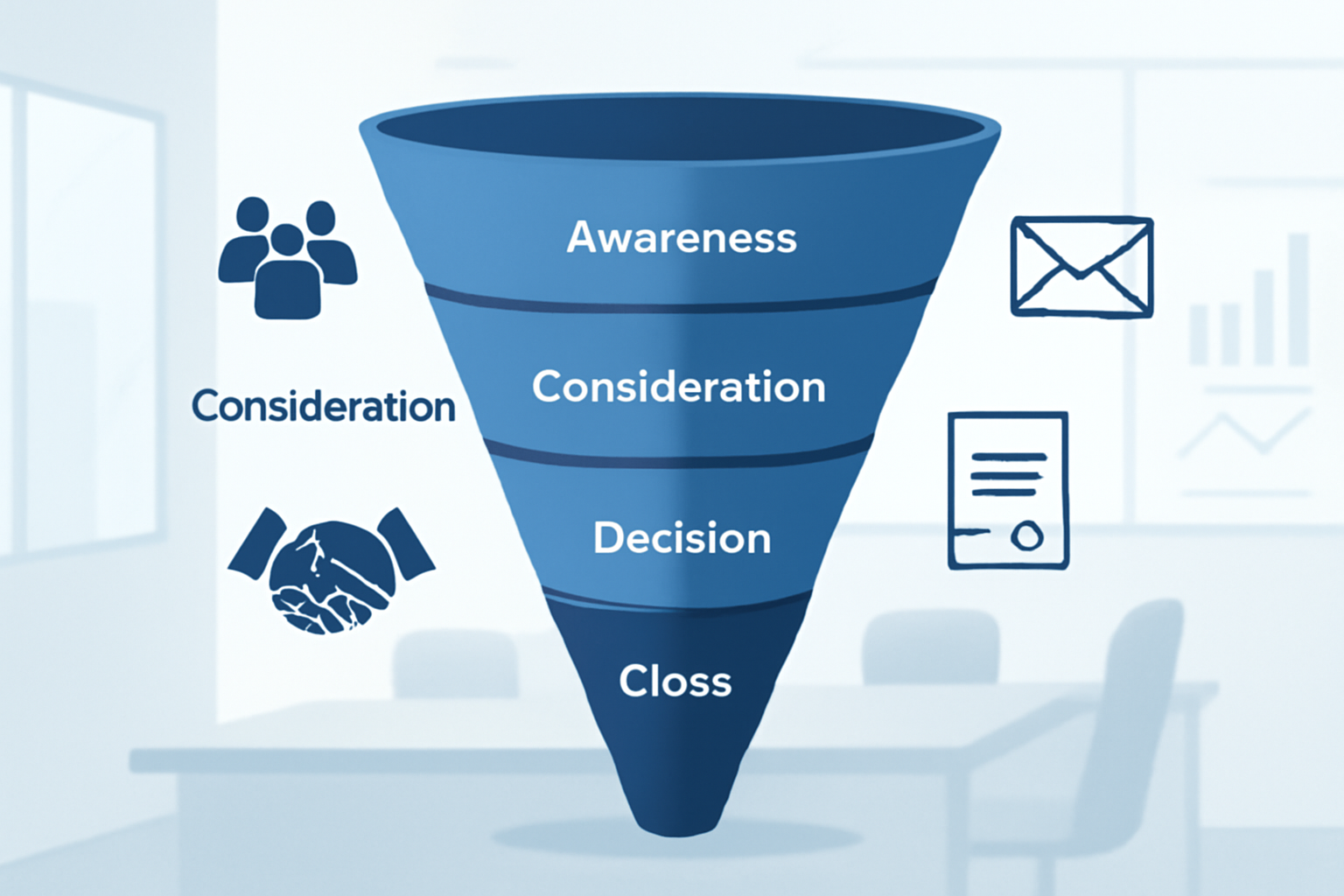
    The funnel is usually broken into four core stages:

    • Awareness: The prospect learns your business exists.
    • Interest/Consideration: They actively research your solution.
    • Decision: They evaluate you against competitors and negotiate terms.
    • Action/Close: They sign, pay, and become a customer.

    Some models add a fifth stage — Retention and Expansion — which is where the most profitable B2B companies make their real money through upsells, renewals, and referrals.

    Understanding which stage each prospect is in tells you exactly what message to send, what content to show them, and how urgently to follow up.

    Key Benefits of Optimizing Your Sales Funnel

    Here’s the business case for taking your funnel seriously. A 2024 McKinsey report found that B2B companies with optimized sales funnels achieve 2.9x higher revenue growth compared to industry peers who rely on ad hoc selling.

    Let’s break down what that looks like in practical, dollar terms for a small business:

    Shorter sales cycles: When prospects receive the right information at the right stage, they make decisions faster. A business closing 10 deals per quarter at a $15,000 average contract value that cuts its cycle from 90 days to 60 days effectively frees up cash flow and capacity to pursue more deals.

    Higher conversion rates: The average B2B lead-to-close conversion rate hovers around 3-5% across industries (Salesforce, 2025). Funnel optimization can realistically push that to 8-12% — potentially doubling revenue without increasing your marketing budget.

    Better forecasting: When you know how many leads enter each funnel stage and what percentage advance, you can predict monthly revenue with real accuracy. That kind of visibility is critical when managing payroll, inventory, or applying for a business line of credit.

    Reduced customer acquisition cost (CAC): Disorganized sales efforts waste time on unqualified prospects. A defined funnel filters leads early so your team spends energy where it actually converts to revenue.

    How to Build Your B2B Sales Funnel: Step-by-Step

    Building a funnel that works isn’t complicated — but it does require intentional design at every stage. Here’s a practical, numbered process you can apply to your business starting this week.

    Step 1: Define Your Ideal Customer Profile (ICP)

    Before you build anything, you need to know exactly who you’re selling to. Your ICP should include company size (employee count, annual revenue), industry vertical, decision-maker job title, geography, and the specific pain point your product or service solves.

    For example: “CFOs at manufacturing companies with $5M–$50M in annual revenue located in the Midwest who are struggling with cash flow forecasting.” The more specific, the better your funnel will perform.

    Step 2: Map Your Lead Sources

    Identify where your best clients currently come from. Common B2B lead sources include LinkedIn outreach, inbound content marketing (blog, SEO), referrals, trade shows, email campaigns, and paid ads. Your funnel needs a steady stream at the top — without leads entering, nothing else matters.

    If you haven’t invested in content as a lead source, a content marketing strategy for small businesses can generate qualified inbound leads at a fraction of the cost of paid advertising over time.

    Step 3: Create Stage-Specific Content and Touchpoints

    Each funnel stage needs different content:

    • Awareness: Blog posts, LinkedIn articles, podcast appearances, paid ads
    • Consideration: Case studies, comparison guides, webinars, email sequences
    • Decision: Proposals, demos, ROI calculators, client testimonials, reference calls
    • Retention: Onboarding materials, quarterly business reviews, upsell offers

    Step 4: Set Up a CRM

    A Customer Relationship Management (CRM) tool is non-negotiable. Tools like HubSpot (free tier available), Salesforce, or Pipedrive let you track every prospect’s stage, set follow-up reminders, and measure conversion rates between stages. Without a CRM, your funnel exists only in people’s heads — and deals fall through the cracks constantly.

    Step 5: Define Your Follow-Up Cadence

    Studies from the National Sales Executive Association show that 80% of sales require five or more follow-up contacts after an initial meeting — yet 44% of salespeople give up after just one follow-up. Build a structured sequence: initial outreach, follow-up at 3 days, 7 days, 14 days, and 30 days, each with a different angle or value add.

    Step 6: Measure and Adjust Monthly

    Track these core funnel metrics every month: number of new leads, lead-to-opportunity rate, opportunity-to-proposal rate, proposal-to-close rate, average deal size, and average sales cycle length. Identify your weakest stage and focus improvement efforts there first.

    Costs, Fees, and Risks of Building a Sales Funnel

    Building a B2B sales funnel isn’t free, and it’s important to understand the real investment involved. According to the U.S. Bureau of Labor Statistics, small businesses typically allocate 7-12% of gross revenue to sales and marketing combined — and sales funnel infrastructure is a major component of that spend.

    CRM software: HubSpot’s free plan covers basics, but paid plans start at $20/month per seat and scale to $1,200+/month for enterprise features. Salesforce starts around $25/user/month for basic functionality. Budget $100–$500/month for a small sales team.

    Content and lead generation: Producing quality content, running LinkedIn ads, or hiring an SDR (Sales Development Representative) all carry real costs. LinkedIn lead gen campaigns can run $8–$15 per click in competitive B2B categories.

    Time investment: The hidden cost most business owners underestimate. Building a proper funnel, training your team, and iterating based on data takes dozens of hours upfront — time that comes from somewhere else in your business.

    Risks: Over-engineering your funnel early is a real danger. Too many stages, too much automation, or an overly complex CRM setup can actually slow your team down. Start simple. Also, be cautious about investing heavily in paid lead generation before you’ve validated that your funnel can actually close the leads it receives — burning ad spend on a leaky funnel is a costly mistake.

    Common Mistakes That Kill B2B Sales Funnels

    Most sales funnels don’t fail because of bad products. They fail because of predictable, fixable errors. Here are the most damaging ones — and how to avoid them.

    Mistake #1: Treating every lead the same. Not all leads are created equal. Sending a bottom-of-funnel product demo to someone who just downloaded a top-of-funnel awareness blog post will kill the relationship. Segment your leads by stage and send stage-appropriate communication. Skipping this step is one of the most expensive errors in B2B sales.

    Mistake #2: Neglecting the follow-up. As mentioned above, most B2B deals close after five or more touchpoints. If your team stops following up after one or two unanswered emails, you’re leaving significant revenue on the table. Build automated follow-up sequences in your CRM so no lead goes cold by accident.

    Mistake #3: Unclear qualification criteria. If your sales team doesn’t know what a “qualified” lead looks like, they’ll waste hours on prospects who can’t or won’t buy. Define your minimum qualifying criteria — budget, authority, need, and timeline (commonly known as BANT) — and apply them at the top of the funnel to protect your team’s time.

    Mistake #4: Ignoring post-sale retention. The bottom of the funnel is often completely ignored. A 2024 Bain & Company study found that increasing customer retention by just 5% can increase profits by 25–95%. If you’re focused only on acquiring new clients and not on keeping existing ones happy, you’re building a leaky bucket — spending to fill the top while clients exit the bottom.

    Mistake #5: No written funnel documentation. If your sales process lives only in one person’s head, your business is fragile. Document every stage, every touchpoint, every script, and every piece of content. This enables hiring, training, and consistent execution across your team.

    Alternatives to a Traditional Sales Funnel

    The classic linear funnel model isn’t the only framework available. Depending on your business model and market, one of these alternatives might serve you better — or complement your existing funnel.

    The Flywheel Model: Popularized by HubSpot, the flywheel replaces the linear funnel with a circular model centered on customer delight. Happy customers generate referrals, which feed awareness, which generates new leads organically. This model works best for businesses with strong recurring revenue or subscription models. Pro: Reduces CAC dramatically over time. Con: Takes longer to gain momentum and requires exceptional customer service infrastructure.

    Account-Based Marketing (ABM): Instead of generating many leads and filtering them down, ABM identifies a specific list of high-value target accounts and markets directly to decision-makers within those companies. According to the ITSMA, 87% of B2B marketers say ABM delivers higher ROI than other marketing approaches. Pro: Highly efficient for large deal sizes. Con: Resource-intensive and requires tight sales and marketing alignment.

    Referral-Based Sales System: For many small businesses, the most cost-effective “funnel” is a structured referral program — systematically asking current clients for introductions to their networks. This requires a formal process: asking at the right moment (typically 60–90 days into a successful engagement), offering clear incentives where appropriate, and tracking referral sources. Pro: Lowest CAC of any channel. Con: Hard to scale beyond a certain revenue level without supplementing with outbound or inbound strategies.

    If you’re in the early stages of business development, a solid business plan can help you determine which sales model aligns best with your growth goals and capital structure.

    Frequently Asked Questions

    How long does it take to build a B2B sales funnel?
    Generally speaking, a basic funnel with a CRM, defined stages, and initial content can be set up in 2–4 weeks. A fully optimized funnel with tested messaging, automated sequences, and measurable conversion rates typically takes 3–6 months of iteration. Don’t expect perfection on day one — the funnel improves as you collect data.

    How many leads do I need at the top of my funnel?
    This depends on your conversion rate and revenue goal. If your average deal size is $10,000, your close rate is 5%, and you need $500,000 in annual revenue, you need 1,000 qualified leads per year — roughly 83 per month entering the top of your funnel. Work backward from your revenue target to calculate your required lead volume.

    What’s the best CRM for a small business sales funnel?
    For most small businesses (1–10 person sales teams), HubSpot’s free or Starter tier offers strong value. Pipedrive ($14–$99/month per user) is excellent for teams focused purely on sales pipeline management. Salesforce is powerful but typically overkill and overpriced for businesses under $5M in revenue. The best CRM is the one your team will actually use consistently.

    At what point should I hire a dedicated salesperson?
    In most cases, hiring a dedicated salesperson makes financial sense when your own sales activities are consistently generating more qualified leads than you can personally follow up on, or when your revenue is sufficient to support a base salary plus commission — typically around $80,000–$120,000 in total compensation for an experienced B2B sales rep. Until then, systematizing your own outreach is usually more cost-effective.

    Can I automate my entire B2B sales funnel?
    Partially, yes — but be careful. Email sequences, lead scoring, CRM updates, and appointment scheduling can all be automated effectively. However, the high-value conversations, discovery calls, and proposal stages in B2B sales require genuine human engagement. Over-automating those interactions often signals inauthenticity and costs you deals. Use automation to handle the administrative weight, not to replace relationship-building.

    Build the Funnel, Close More Deals

    A well-designed B2B sales funnel is one of the highest-leverage investments a small business can make. It brings consistency, predictability, and scalability to what often feels like a chaotic, relationship-dependent revenue stream.

    Start with the basics: define your ICP, map your lead sources, set up a CRM, and build stage-specific follow-up sequences. Measure your conversion rates monthly and fix the weakest link in the chain first. Avoid the common traps — treating all leads the same, abandoning follow-up too early, and neglecting retention after the sale.

    Most importantly, remember that a funnel is never truly finished. The best sales organizations treat it as a living system that improves with every closed deal and every lost opportunity analyzed.

    Take one step today: open a spreadsheet or free HubSpot account and map the last 10 deals you closed. Where did they come from? How long did they take? That’s your funnel in its current form — and it’s your starting point for something significantly more powerful.


    Financial Disclaimer: This article is for educational purposes only and does not constitute financial, tax, or investment advice. Always consult a licensed financial advisor, CPA, or attorney before making financial decisions.